A static product photo tells one half of the story. It shows what the product looks like — not what it looks like in the buyer’s room, in their colour scheme, or built to their specification. That gap is where returns are born, and where pre-sale questions pile up.
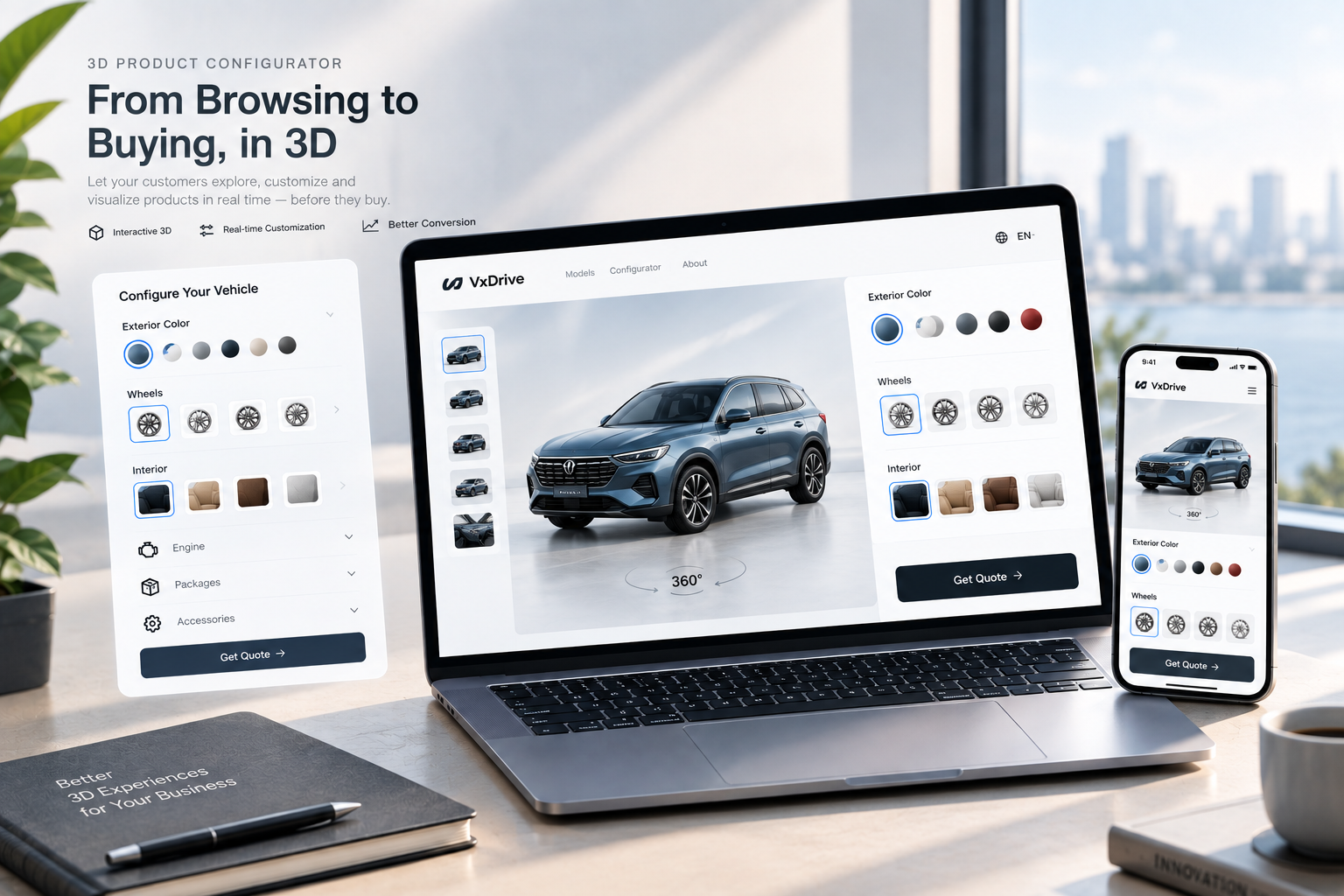
A 3D product configurator closes that gap. It is an interactive module embedded in a product page that lets a shopper change colour, material, size or add-on options and see the result render in real time, on desktop or mobile, without a plugin or an app install.
This guide covers what a configurator actually does, how the technology works, which product categories benefit most, and how to decide whether it belongs in your store.
Why returns are the real problem
Returns are not a niche cost. The National Retail Federation’s 2025 Retail Returns Landscape projects total retail returns of $849.9 billion in 2025 and estimates that 19.3% of online sales will be returned — roughly one in five online orders coming back. The same report finds that 9% of returns are fraudulent, which means the overwhelming majority are legitimate.
Retailers tend to reach for logistics fixes: better packaging, cheaper reverse shipping, stricter return policies. Those reduce the cost per return. They do not reduce the number of returns, because the most common cause is not damage or fraud — it is a mismatch between what the buyer imagined and what arrived. Wrong colour, wrong finish, wrong scale, wrong material.
A configurator attacks that cause directly. By the time a buyer adds the item to their cart, they have already rotated it, recoloured it and spent time with it. The mental model they carry into checkout is the product they are actually going to receive.
What the evidence actually supports
It is easy to find dramatic statistics about 3D and AR in ecommerce. It is harder to find ones that hold up. These are the figures we can point to with a source.
Shopify publishes merchant case studies on its own domain. In the Rebecca Minkoff case study, the brand added 3D models and AR to more than 50 product pages: shoppers who viewed a product as a 3D model were 44% more likely to add it to cart, and those who viewed it in AR were 65% more likely to make a purchase. In the Oakywood case study, the brand reported average order value increases of 458% in Germany, 232% in Switzerland and 84% in the UK, alongside a move from almost no custom orders to roughly 200–300 per month.
Two things matter about those numbers. First, they are merchant case studies, not industry averages — a single brand’s result, in a specific market, with a specific product mix. Second, they are Shopify’s customers’ results, not ours. We cite them because they are published, attributable and checkable, not because they predict your outcome.
What we can say generally is this: when a product has real configuration options, a static image forces the buyer to imagine, and some of that imagining ends in a return. Removing that step helps conversion and returns at the same time.
How a configurator actually works
Three engineering characteristics separate a configurator that helps from one that gets in the way.
It runs in the browser, with no plugin. Modern configurators are built on WebGL, the JavaScript API for hardware-accelerated 3D graphics. Per MDN’s WebGL documentation, WebGL support is present in all modern browsers. That matters commercially: a buyer who has to install an app or launch a separate viewer is a buyer you may lose before they see anything. The entire interaction happens inside the product page.
Materials respond to light. A configurator built on physically based rendering (PBR) simulates how light interacts with a surface rather than painting a flat colour over it. Metal reads differently from brushed steel; linen drapes differently from velvet. This is the difference between a colour picker and a genuine preview — and it is the part that closes the expectation gap, because most returns driven by “not as pictured” are really returns driven by material and finish behaving differently than the buyer assumed.
Configuration data can flow downstream. A configurator can output the buyer’s selection as structured data, which means the configuration chosen on the storefront can travel to the cart, the order and the production system rather than being re-entered by hand. For made-to-order and configured products, that removes an entire class of transcription errors.
We build configurators on our own in-house WebGL engine and load them lazily, so the 3D module only downloads when a shopper actually opens it. If you sell on Shopify, the module drops into the product detail page directly.
Which product types benefit most
A configurator is not a universal upgrade. It pays off where the buyer has genuine choices and where getting the choice wrong is expensive.
| Category | What buyers struggle to judge | What the configurator shows |
|---|---|---|
| Jewelry | Metal tone against skin, gemstone colour, engraving | Metal, stone and engraving combinations rendered together |
| Furniture | Fabric against a wall, wood tone, scale in a room | Fabric and wood switching, plus placement in a real space |
| Vehicles & parts | Fitment and option combinations | Vehicle match, add-on selection, live price |
| Eyewear | Frame colour against lens tint | Frame shape, frame colour and lens tint combined |
| Watches | Dial, case and strap combinations | Material and colour combinations previewed live |
| Footwear | Colourway and material on the foot | Colourway switching with material texture |
The pattern underneath the table is the same in every row: the moment a product has options, a static photograph stops being an adequate description.
Three ways to get a configurator
Subscription apps. Configurator apps in the Shopify App Store are quick to install and priced monthly. They work well for straightforward colour-swapping. Their limitation is depth — you are configuring inside someone else’s template, and your configuration data generally lives with the vendor. Pricing varies by app and by tier; check current listings rather than relying on second-hand figures.
Enterprise CPQ platforms. Configure-Price-Quote platforms handle very large catalogs and complex pricing rules, and they are licensed accordingly. They are built for organisations with the internal resources to run them. For a mid-sized brand, the fit is usually poor.
Project-based custom development. A studio engagement builds a configurator around your actual catalog: your materials, your option logic, your product data. You pay once for the build rather than subscribing indefinitely, and the configuration data is yours — including any downstream export to production. This is the route we take, and it is the right one when configuration is genuinely part of how you sell rather than a cosmetic add-on.
A short self-assessment
Before commissioning anything, answer these four questions honestly.
- Does your product have real configurable options — colour, material, size, components, engraving?
- Is your average order value high enough that a single return hurts — furniture, jewelry, configured industrial goods?
- Is your return rate elevated, and do the stated reasons cluster around “not as described”, “wrong colour” or “wrong size”?
- Do you offer personalisation or made-to-order goods that buyers currently cannot preview at all?
Two or more “yes” answers suggest the expectation gap is already costing you money. If you sell a single high-volume SKU with no options, a configurator is probably overkill — and a straightforward answer to that effect is more useful than a proposal.
What a rollout looks like
A project typically moves through four stages. We do not publish fixed timelines or fixed prices, because both depend on model count, material complexity and how your catalog is structured — and a number quoted before those are known would be invented rather than estimated.
- Scope mapping. You bring your top products; we map options, materials and integration points, and confirm what is feasible.
- 3D production. Models are built or optimised, materials are set up, and the configurator is wired into your catalog.
- Storefront integration. The module is embedded in your product pages, with the cart and order flow connected.
- Launch and iterate. Configuration data starts feeding back into merchandising decisions. AR placement can be added as an optional module where buyers need to see the product in their own space.
FAQ
How is this different from a colour swatch? A swatch changes the fill colour of a flat image. A configurator renders the product in three dimensions with light-accurate materials, and it can handle options a swatch cannot — size, components, engraving, and combinations of all three.
Will a 3D module slow down my store? It should not, if it is built properly. A configurator is a lazily loaded WebGL application: the module downloads only when a shopper opens it, not on page load. Mobile-specific loading and interaction work is part of the build, not an afterthought.
Do we need to supply our own 3D models? Not necessarily. If you have existing CAD, GLB or similar assets we will convert and optimise them. If you do not, model production is part of the scope.
Can it work with Shopify? Yes. Shopify accepts GLB and USDZ model files — GLB up to 500 MB, with anything over 15 MB automatically optimised, and USDZ generated automatically for iOS. The configurator is embedded on the product page and configuration choices flow into the cart and order.
Can it connect to production? For made-to-order products, yes. Configuration output can be structured for downstream systems so the specification chosen on the storefront matches what is built.
Where to go next
If your products are configured rather than picked off a shelf, the configurator conversation is really a question about which of your products loses the most buyers to uncertainty. That is usually a short list.
Send us that list, along with how your catalog is structured, and we will tell you what a build would involve — including whether a configurator is the right answer at all.